
The Initiate Pay Change module enables managers to submit salary adjustments, including Base Salary Increases, Spot Bonuses, and Promotions for employees within their reporting structure. It provides a centralized interface to review an employee’s compensation details, analyze internal and market benchmarks, and initiate relevant pay changes seamlessly.
Selecting an Employee
Upon accessing the module, the manager can choose the respective employee through “Select Employee”.
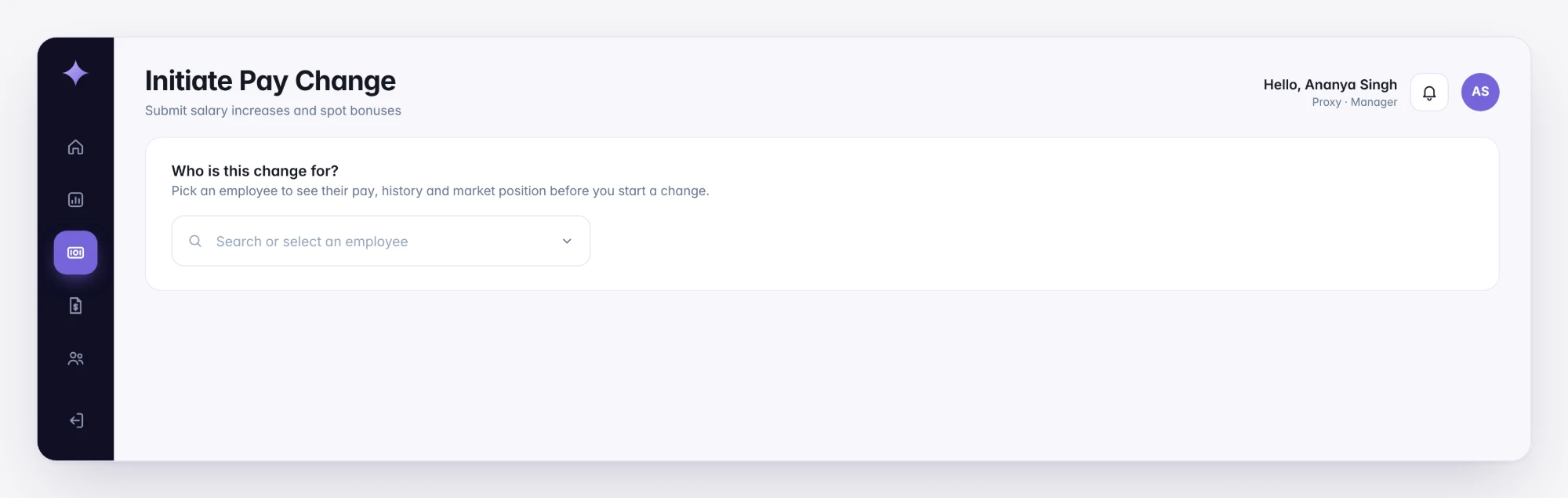
From this list, the manager can choose any team member to review or initiate pay-related actions. Once an employee is selected, their detailed compensation profile is displayed.
Employee Overview
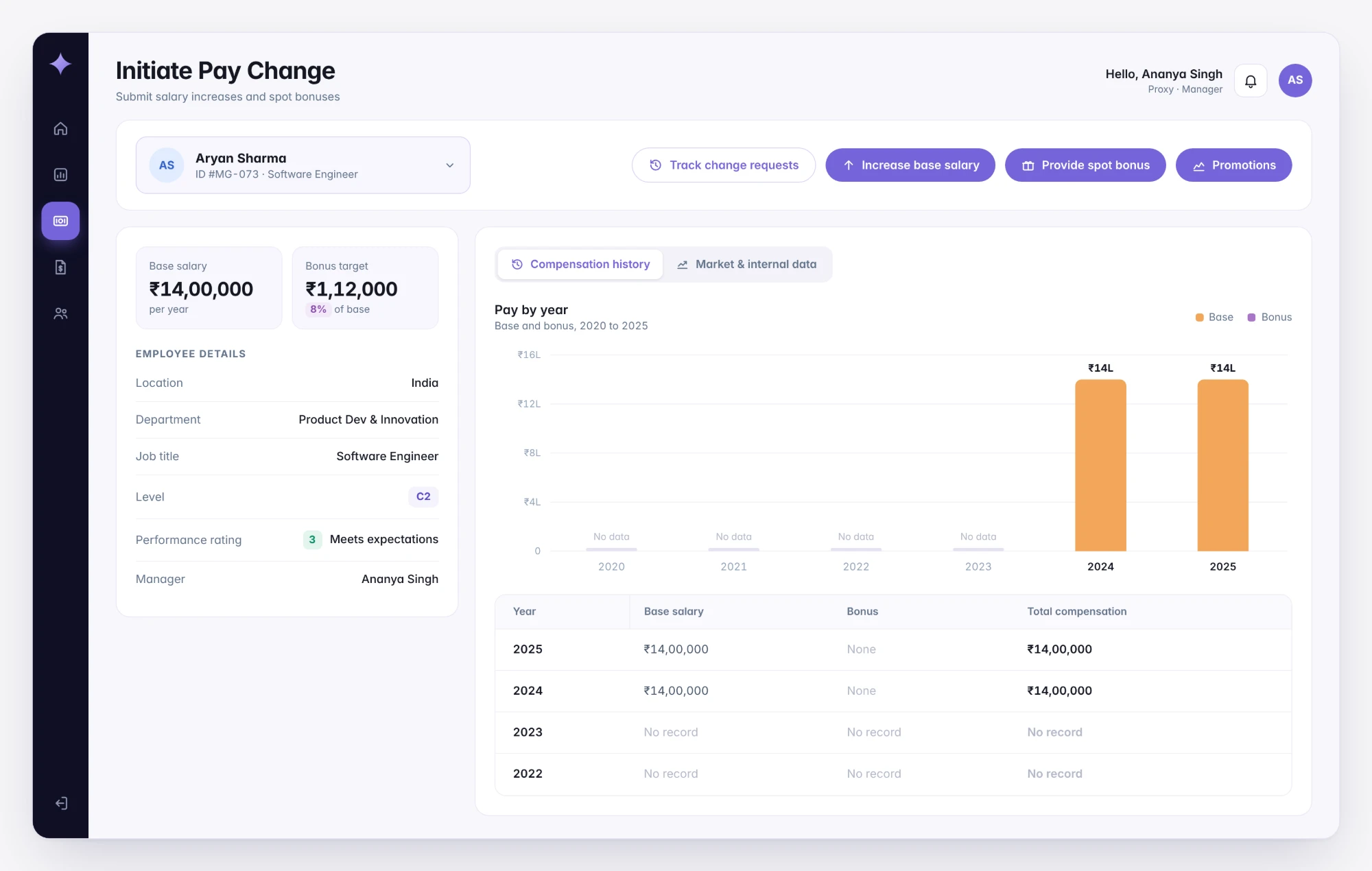
After an employee is selected, the system displays key information such as:
- Location – The employee’s work location (e.g., India).
- Department – The department or division (e.g., Product Development & Innovation).
- Job Title – The current designation (e.g., Software Engineer).
- Level – The internal job grade or level (e.g., C2).
- Performance Rating – The employee’s latest performance score.
- Manager – The reporting manager’s name.
- Base Salary – The employee’s current fixed compensation.
- Bonus Target – The target bonus amount and corresponding percentage.
This overview ensures managers have complete visibility into current pay components before proposing changes.
Compensation Insights
Two detailed insights are available through tabs on the right panel:
1. Compensation History
Displays the year-wise trend of the employee’s Base Salary and Bonus.
A graphical representation provides a visual summary of growth patterns, while a table below lists the historical values for each year.
This helps managers make data-driven pay decisions based on internal progression and compensation consistency.
2. Market Data & Internal Data
This section benchmarks the employee’s pay against internal and external market data for the same job role.
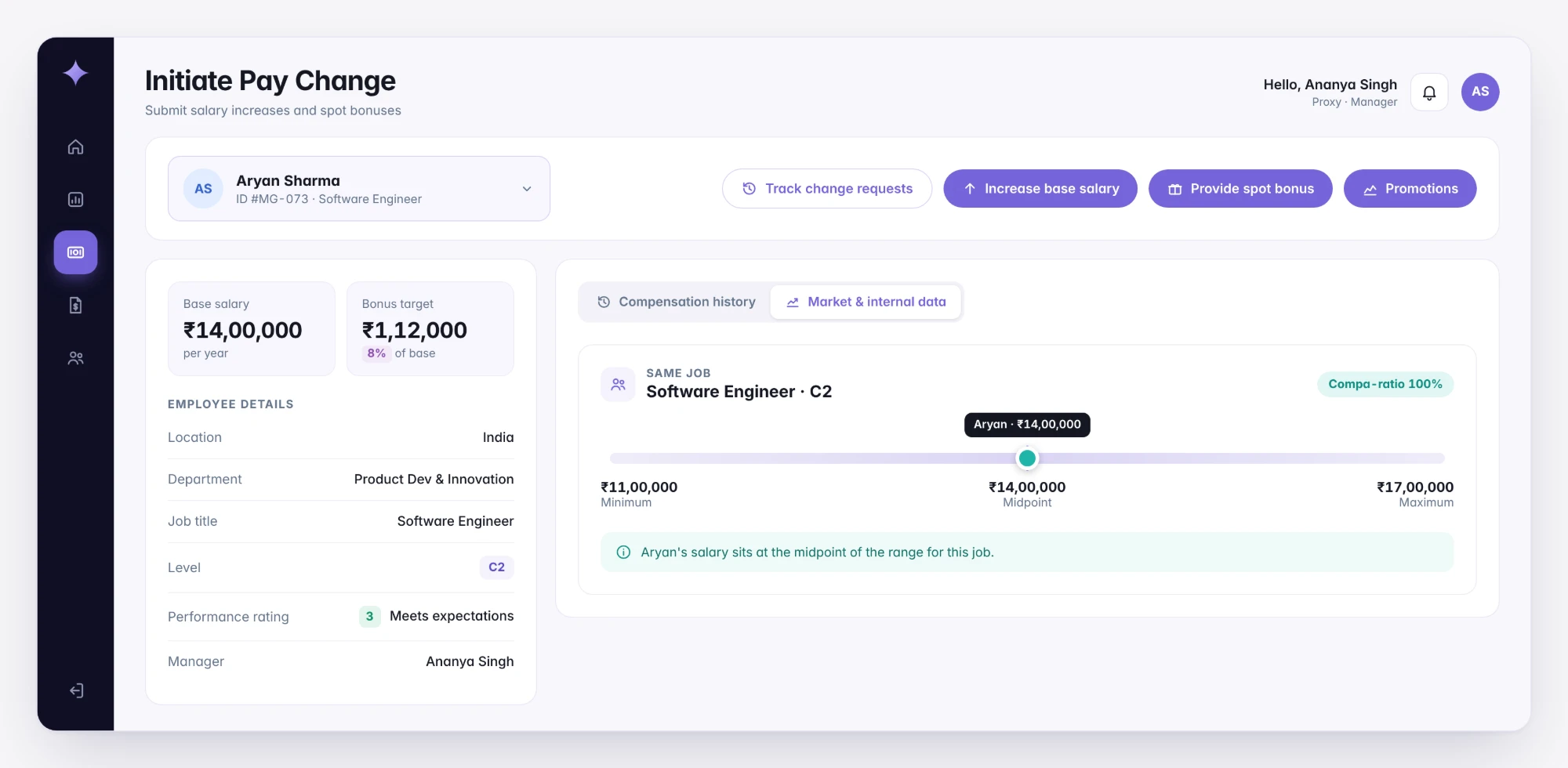
It shows:
- Role Comparison – e.g., Same Job – Software Engineer
- Salary Range – The minimum and maximum salary range for that role (e.g., ₹11,00,000.00 to ₹17,00,000.00).
- Compa Ratio – Displays how the employee’s current pay compares to the role midpoint (e.g., 100%).
A message such as “Employee salary is above job role midpoint” gives quick interpretive context.
Actions Available

At the top of the employee view, managers can take specific actions:
- Track Change Requests – View the status of ongoing or previously submitted pay changes.
- Increase Base Salary – Propose an increment to the employee’s base pay.
- Provide Spot Bonus – Grant a one-time bonus for exceptional performance or contribution.
- Promotions – Submit promotion requests tied to role and level adjustments.