
This module operates in two distinct states depending on the progress of the compensation cycle:
- 1Before the Compensation Cycle is Published: Managers can only preview the employee statements to verify data accuracy and formatting.
- 2After the Compensation Cycle is Published: Managers can view and share finalized statements with employees once the release is complete.
The preview state helps identify potential data mismatches or missing details before making the information available organization-wide, ensuring a smooth and error-free release process.
When the Compensation Cycle is Launched
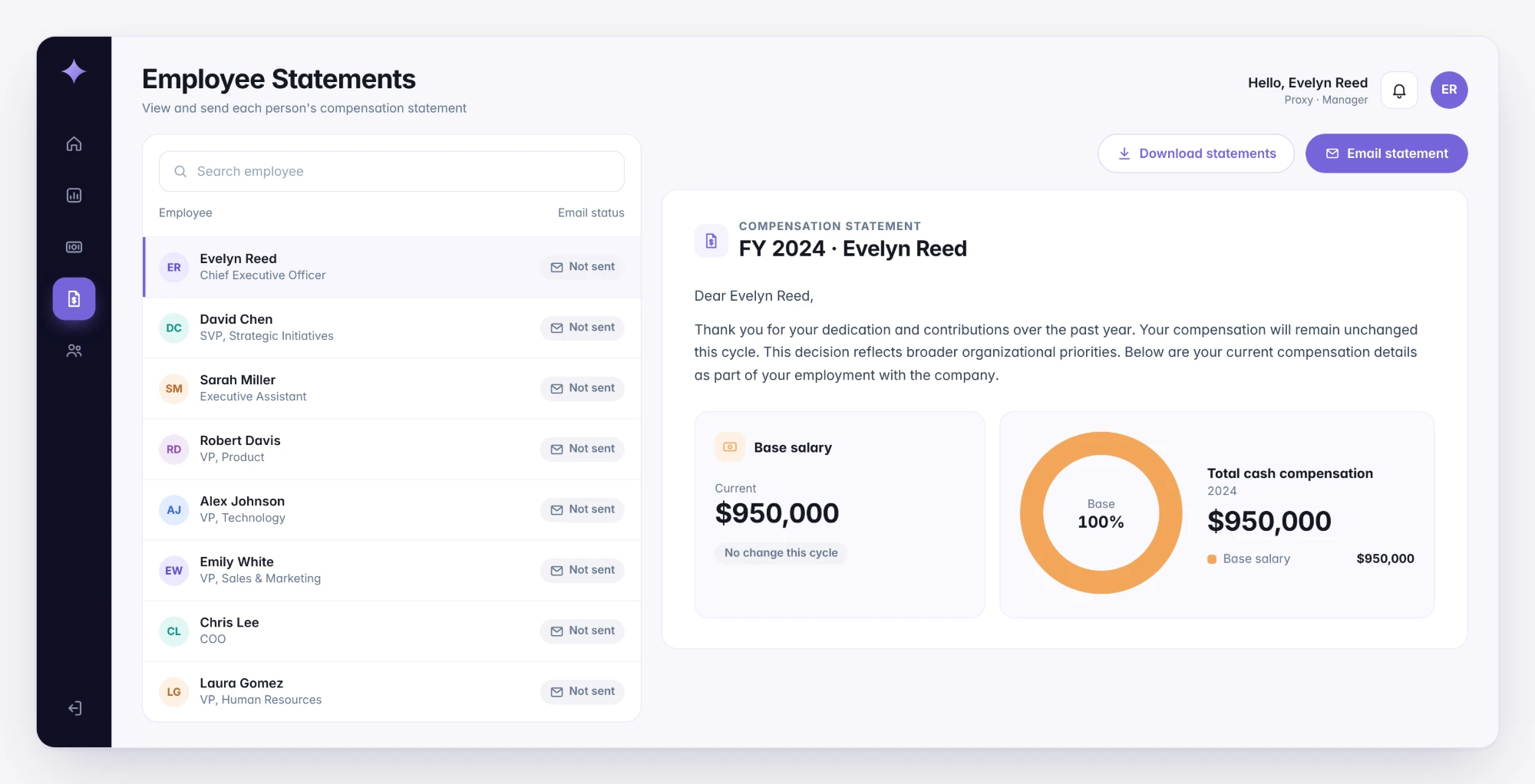
Once the compensation cycle is officially launched, managers can access the live Employee Statements view, which provides a clear and organized overview of all employee compensation details.
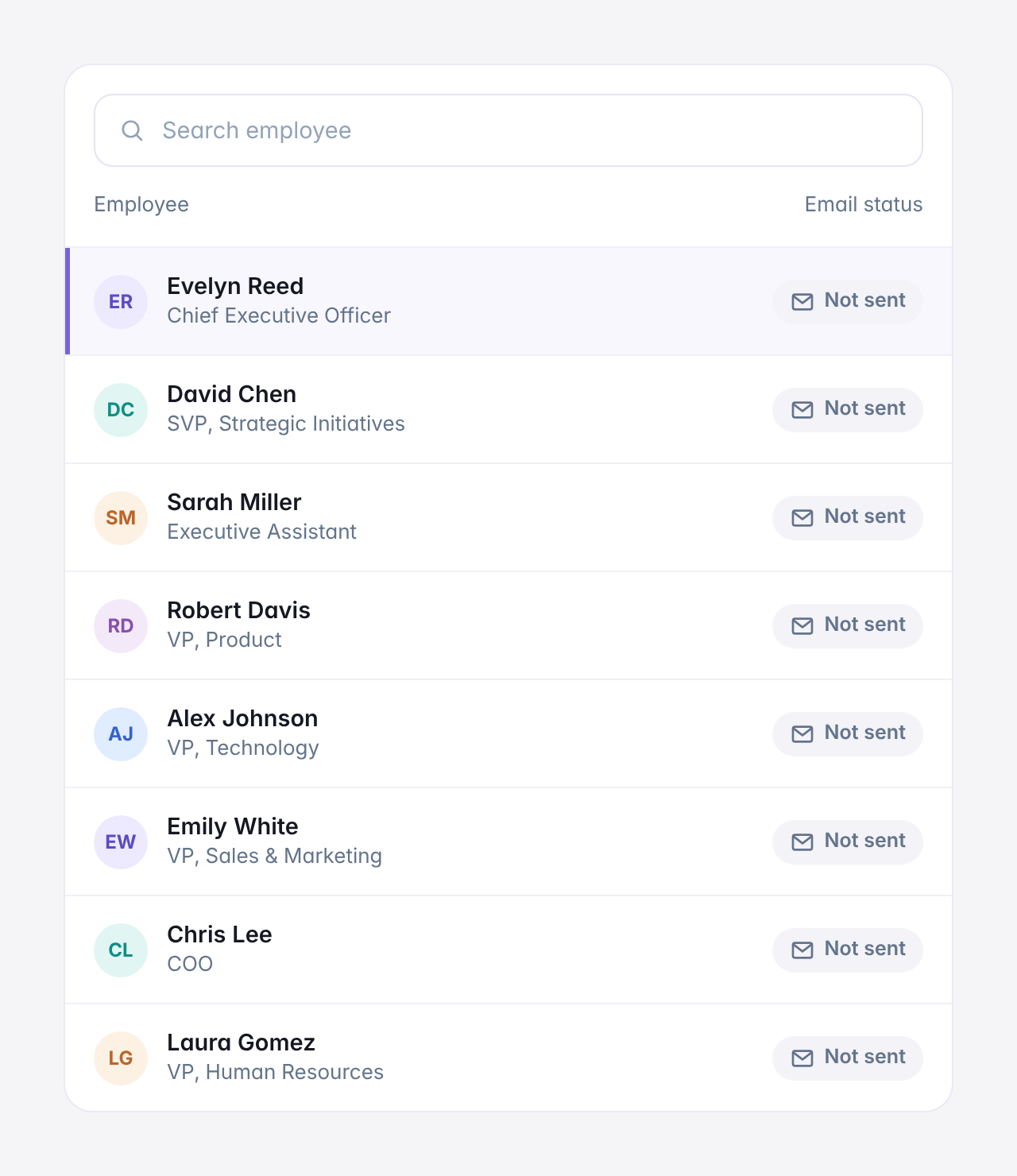
On the left panel, managers can search for and select any employee who is their direct report, or a direct report of one of their direct reports, to view their individual compensation statement. Each entry displays:
- Employee Name
- Job Title
- Email Status (indicating whether the statement has been sent or not)
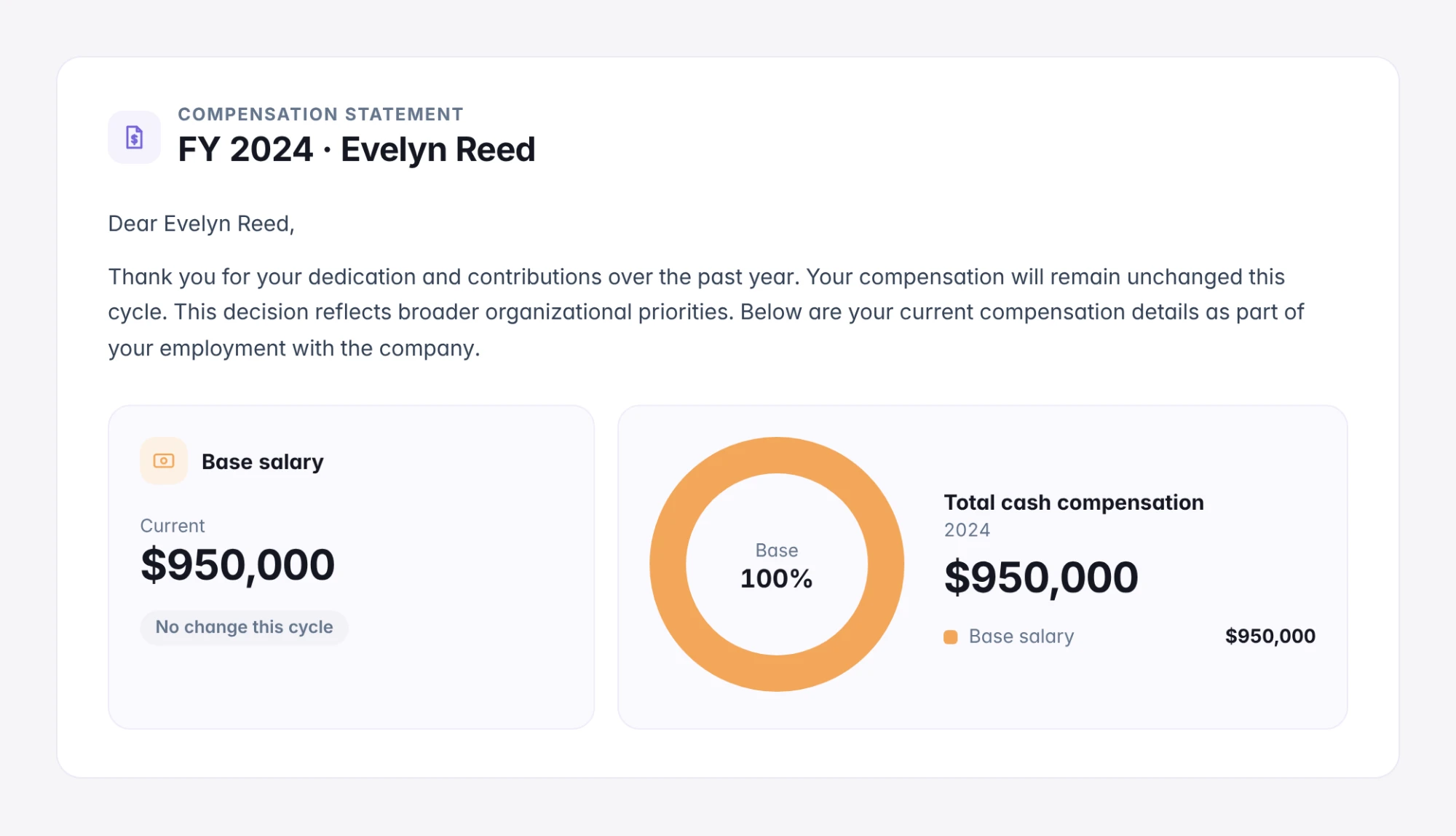
Upon selecting an employee, the right panel displays the FY 2024 Compensation Statement, which includes:
- A personalized message summarizing the compensation decision and organizational context.
- A detailed breakdown of the Base Salary and Total Cash Compensation for the fiscal year.
- A clear visual representation of compensation components using charts and numeric data.
If Email Statements are enabled for a published compensation cycle, these actions become available to managers. In this state, managers can:
- Send statements directly to their respective direct reports through the platform.
- Download statements for offline reference or record-keeping.
The system updates the Email Status column in real time, reflecting whether a statement has been sent or is still pending.