
When editing an employee’s record, this panel opens to allow modifications. The compensation is decided by the reporting managers as per the employee’s performance rating. It has four sub-sections:
Base Salary Adjustment
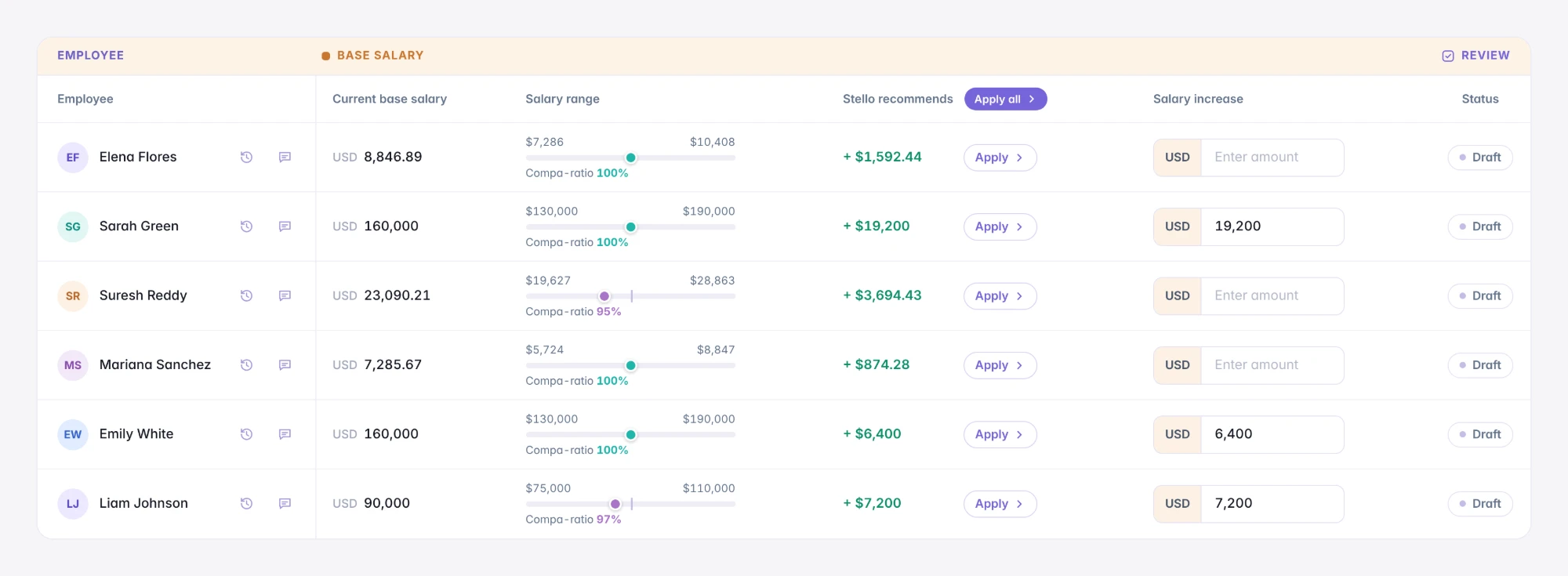
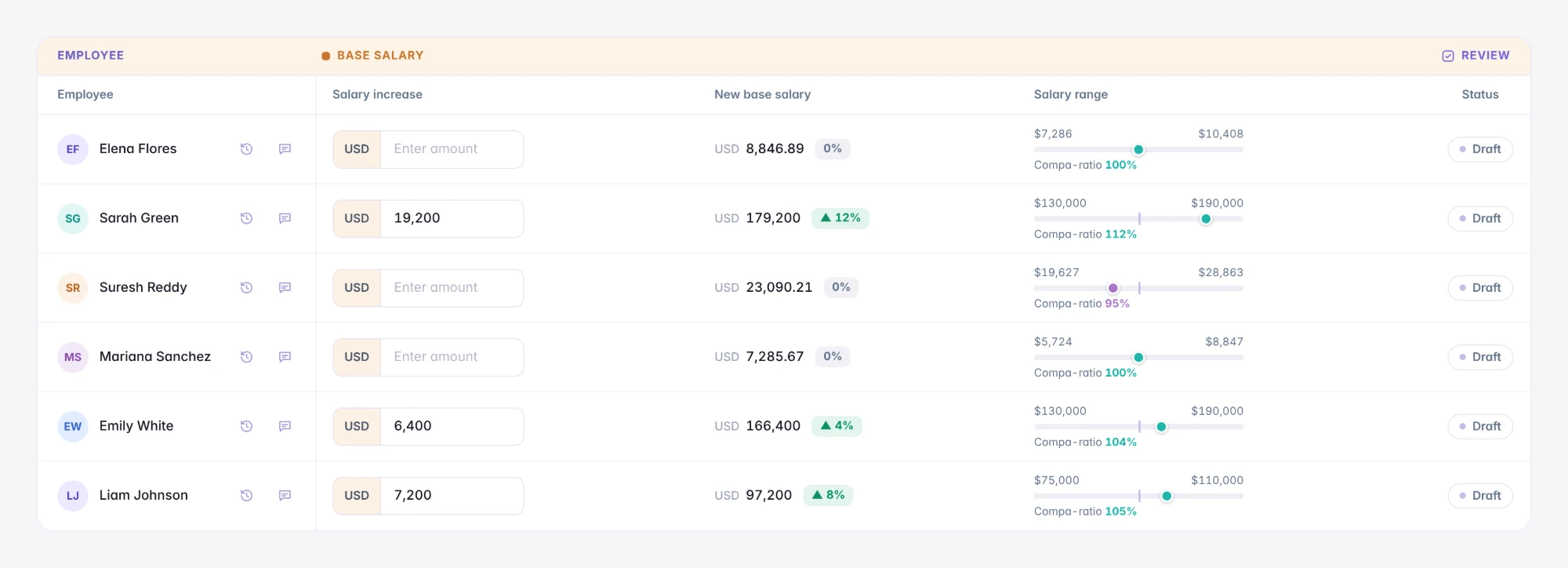
- Current Base Salary – Present annual fixed pay before adjustments, used for comparisons and increase calculations.
- Salary Range – Min and max salary for role, level, and location. Includes Compa-Ratio and visual position indicator.
- Compa-Ratio: a pay positioning metric used to see how an employee’s current pay compares to the market midpoint for their role, which influences the salary range. It is calculated as current pay ÷ market midpoint.
- Stello AI Recommendation – Auto-fills with suggested values by merit matrix calculations.
- Salary Increase – Manually entered raise amount in USD, overriding AI suggestion and updating budgets instantly.
- New Base Salary – Updated annual salary after adding increase, automatically recalculated from current base salary plus raise.
How to Use It:
Compare current salary against salary ranges, view Stello recommendations, and enter manual adjustments.
Equity Adjustment
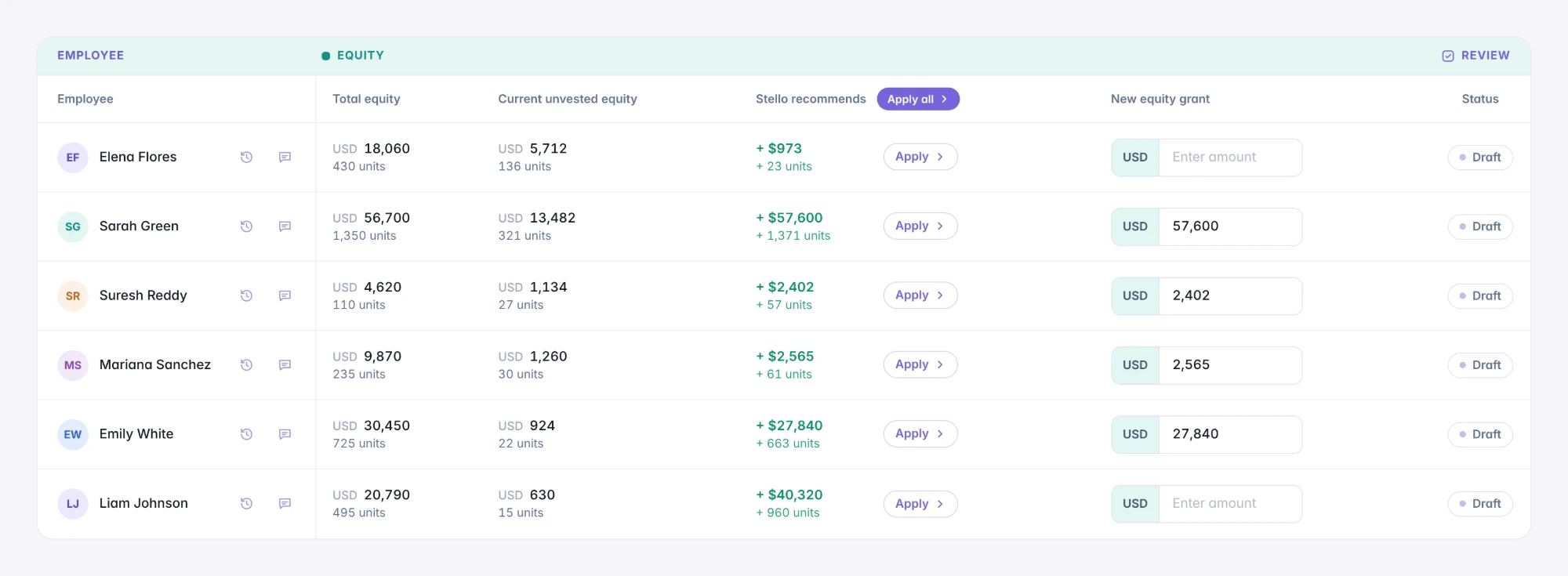
- Total Equity – Shows combined value and units of both vested and unvested equity.
- Current Unvested Equity – Refers to the portion of stock options or shares granted to an employee that they have not yet earned through the vesting schedule. These shares are not owned outright and can be forfeited if employment ends before vesting.
- Stello AI Recommendation – Auto-fills with suggested values by merit matrix calculations.
- New Equity Grant – Field to enter a proposed additional equity amount.
- New Total Unvested Equity – It is the updated total value or number of shares from all unvested equity grants after adjustments such as promotions, refresh grants, or new stock option allocations, still subject to the vesting schedule.
How to Use It:
Review current unvested equity, view Stello recommendations, and adjust grants to update employee totals.
Bonus Adjustment
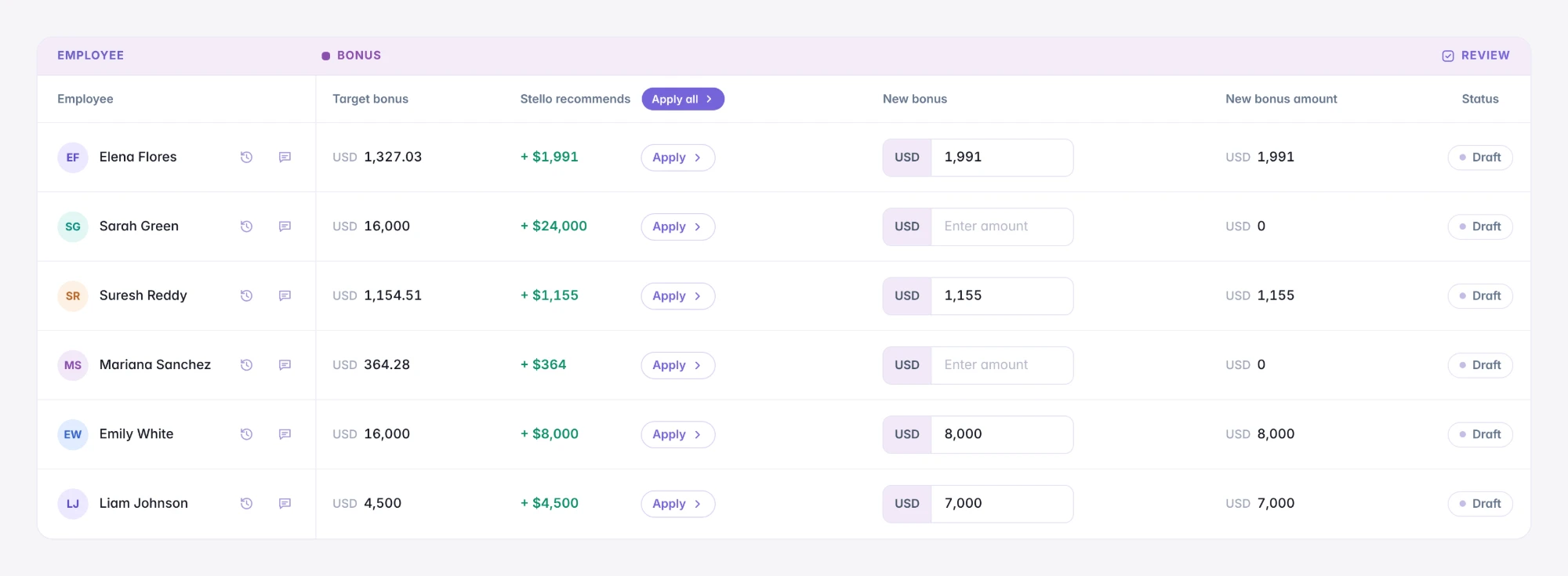
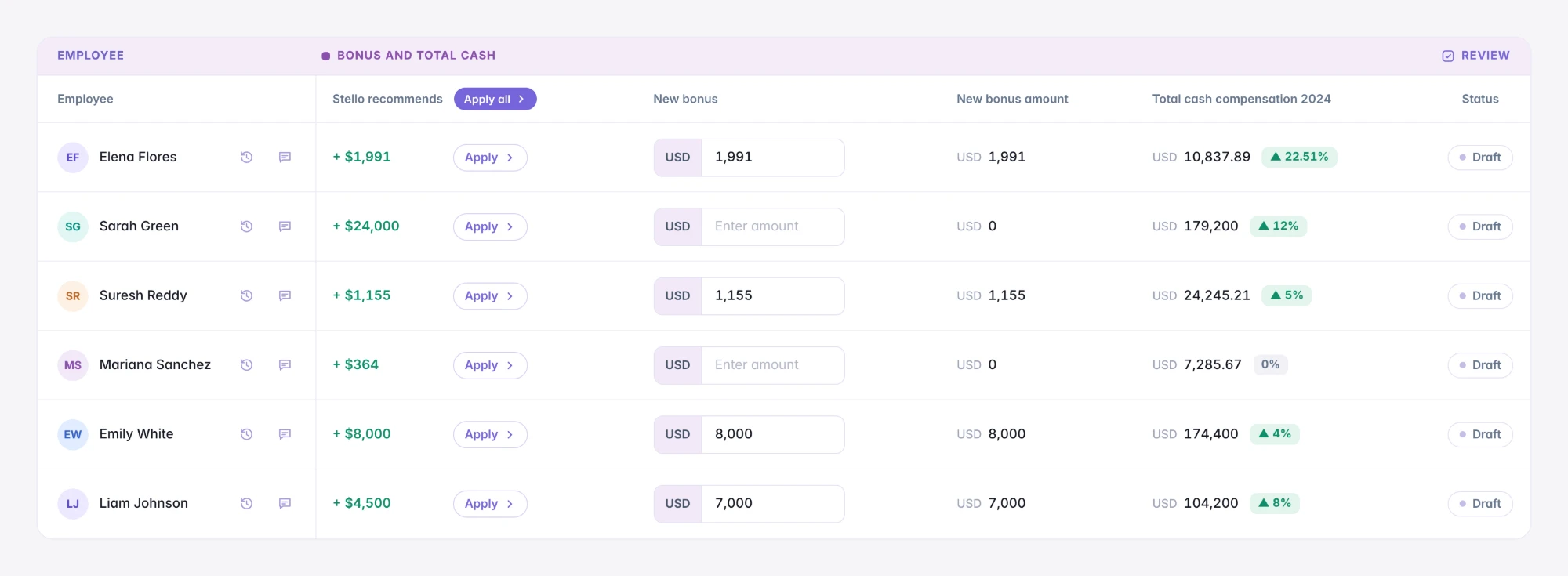
- Target Bonus – Displays the planned or target annual bonus amount.
- Stello AI Recommendation – Auto-fills with suggested values by merit matrix calculations.
- New Bonus – Field to manually enter a proposed updated bonus.
- New Bonus Amount – Shows the recalculated total bonus after applying the updated or recommended bonus value.
How to Use It:
Evaluate target bonus, view Stello recommendation, and update values to align payouts with employee performance.
Total Cash Compensation Summary
- Shows total annual compensation as Base + Equity + Bonus, and updates live as changes are made.
How to Use It:
Check live total cash compensation of salary, equity, and bonus of the employee.